Vibe Coding: Add Authentication
🎬 Video
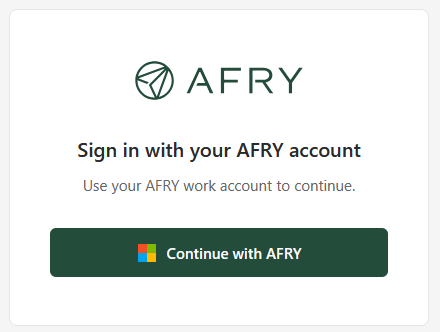
Right now your app is publicly accessible to anyone with the URL. In this chapter you will lock it down so only AFRY employees can sign in - using the same Microsoft account they use for everything else at AFRY.
This step uses an App Registration - an entry in Microsoft Entra (formerly Azure Active Directory) that identifies your app and grants it permission to ask "who is this person?" when someone visits. The app registration was created for you as part of the prerequisites, along with your resource group. If you have not done that yet, go back to 16.2 - Prerequisites first and make sure you have both the resource group name and the app registration name.
What you are adding
When you are done, anyone visiting your app will see an AFRY-branded sign-in page. They click sign in, go through the familiar Microsoft login, and land on the app. Unauthenticated visitors are always redirected - they cannot access any page without signing in first.
Local development is not affected. Authentication is enforced by the Azure Static Web Apps platform and only applies to the deployed app. When you run the app locally with
npm run dev, there is no login - you can access everything directly. This is intentional and convenient: you do not need to sign in every time you make a change during development.
Cost
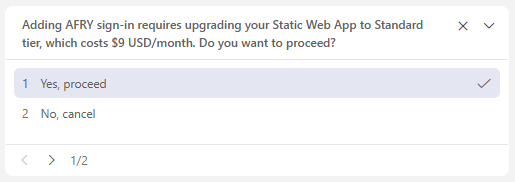
Adding authentication requires upgrading your Static Web App from the free tier to the Standard tier, which costs around $9 USD per month (billed by Azure on your subscription). This is the first step in the trail that carries a real monthly cost.
If you are not ready to accept this cost, you can skip this step and continue with the rest of the trail. Authentication can always be added later.
What the skill is going to do
The vibe-add-auth-for-swa skill handles the full setup. You do not run any commands yourself. Specifically it will:
- Upgrade your Static Web App to Standard tier
- Connect your app to the app registration in Microsoft Entra
- Configure the sign-in redirect so Microsoft knows to send users back to your app after login
- Add a route rule that blocks all unauthenticated access
- Scaffold a sign-in page in your app with AFRY branding
- Add a user header to the app so the signed-in name can be displayed
Before you start - one thing to have ready
The skill will ask you one question:
| Question | What to answer |
|---|---|
| App registration name | The name you received from AFRY IT when your resource group was created (for example apps-dev-rg-ABC123-01-SPN) |
Steps
1. Open Copilot in agent mode
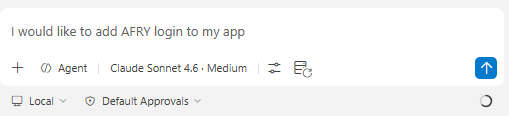
In VS Code, open the Copilot chat panel. Make sure it is set to Agent mode and select Claude Sonnet 4.6 from the model picker.
Tell Copilot you want to add authentication:
2. Answer the skill's question
Copilot will detect your deployed app automatically, then ask if you are ok with the increased costs, and then for your app registration name.
and
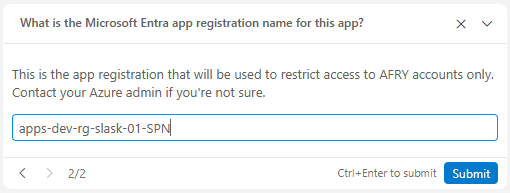
After you answer, the skill will validate everything before making any changes. If the app registration name is wrong or cannot be found, it will tell you clearly.
4. Watch it configure
Copilot will now:
- Upgrade your Static Web App to Standard tier
- Connect your app registration to the SWA auth settings
- Update the app registration redirect URI in Microsoft Entra
- Add a
staticwebapp.config.jsonwith route protection rules - Add a login page and logout button to your app
- Commit and push the changes, triggering a new deployment
This takes a few minutes. You do not need to do anything.
5. Test the sign-in flow
When everything is done, open your live app URL. You should be redirected to the AFRY sign-in page. Sign in with your AFRY Microsoft account and you will land on the app.
What just happened
Your app is now protected. The authentication is handled by Microsoft Entra and enforced by the Static Web App platform - your app code does not need to manage tokens or sessions directly.
| What | Where |
|---|---|
| Route protection | staticwebapp.config.json in your repository |
| Sign-in page | src/pages/Login.tsx (or login.html for plain HTML apps) |
| Auth provider | Microsoft Entra, via the app registration |
| Signed-in user | Available to the app from /.auth/me |
| Cost | ~$9 USD/month (Standard tier) |
You are ready to continue with 16.6 - Store Data.